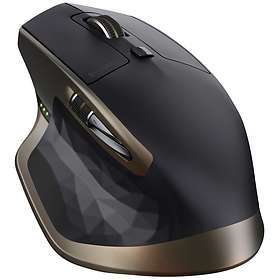
Best Mice November 2026
Explore our independent ranking of the top mice available right now. Compare key specifications, ergonomic shapes, and sensor speeds to find the right fit for your setup. Whether you need an ultra-lightweight gaming mouse or a versatile office tool, this guide makes your choice straightforward.
Last updated: 1 November 2026
The list is unchanged since the last update.

Mice & Pointing Devices: Top 5
1

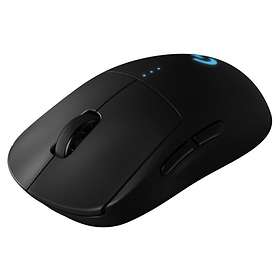
Logitech G PRO X2 SUPERSTRIKE
from £142.495 stores
from £142.49
5 stores
2
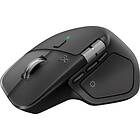
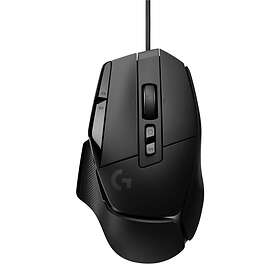
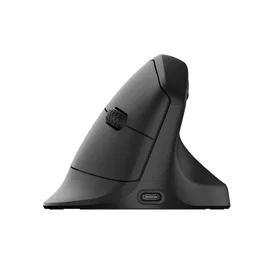
Logitech MX Master 4
from £93.996 stores
from £93.99
6 stores
3
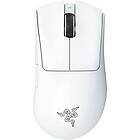
Razer DeathAdder V4 Pro
from £118.9715 stores
from £118.97
15 stores
4
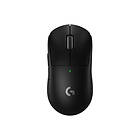
Logitech G Pro X Superlight 2 Lightspeed
from £93.959 stores
from £93.95
9 stores
5

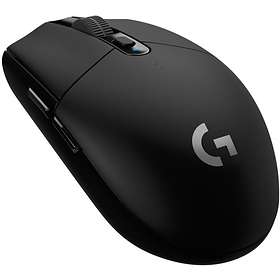
Logitech G PRO X3 Superstrike LIGHTSPEED
from £169.004 stores
from £169.00
4 stores
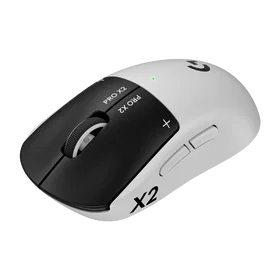
The Logitech G PRO X2 SUPERSTRIKE is an ultra-lightweight wireless mouse engineered for competitive gaming. It features an optical sensor reaching 44,000 DPI, high tracking speeds, and an 8,000Hz polling rate for rapid responsiveness.



Pros
Lightweight 60 g design
High 8,000Hz maximum polling rate
Optical 44,000 DPI sensor
Fast 888 IPS tracking speed
Cons
Only 5 buttons
No Bluetooth connectivity
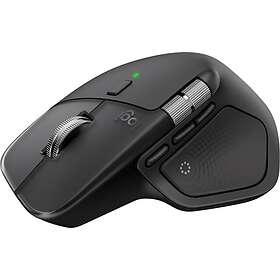
The Logitech MX Master 4 is an ergonomic productivity mouse designed for power users and office workflows. It features 8 programmable buttons, dual-wheel scrolling, and seamless connectivity over Bluetooth and RF.


Pros
Dual Bluetooth and RF wireless support
8 programmable buttons
Dedicated side scroll and hyperscroll
Ergonomic office-focused shape
Cons
Heavy at 150 g
Low 125Hz polling rate for gaming
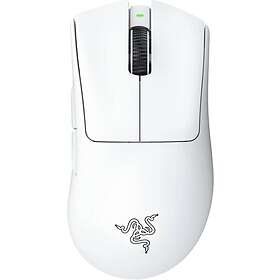
The Razer DeathAdder V4 Pro delivers an ergonomic gaming shape in an ultra-light 56 g body. With a 45,000 DPI optical sensor and 6 programmable buttons, it provides top-level accuracy and comfort for long gaming sessions.
Pros
Very light at only 56 g
High 45,000 DPI optical sensor
Ergonomic shape with 6 buttons
85 G maximum acceleration
Cons
No Bluetooth support
No charging dock included
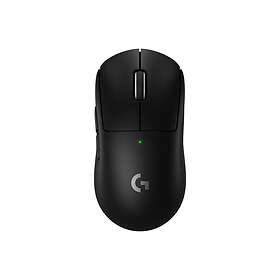
The Logitech G Pro X Superlight 2 Lightspeed is a proven competitive gaming mouse weighing just 60 g. Equipped with Logitech's Hero sensor and USB-C charging, it offers reliable tracking and minimal latency.

Pros
Lightweight 60 g construction
Accurate Hero optical sensor
Modern USB-C charging port
High polling rate support
Cons
Only 5 buttons
Scroll wheel can feel inconsistent over time
The Logitech G PRO X3 Superstrike LIGHTSPEED pushes competitive performance to the cutting edge with a 48,000 DPI optical sensor. Weighing only 59 g, it delivers up to an 8,000Hz polling rate and 930 IPS tracking for elite gaming response.
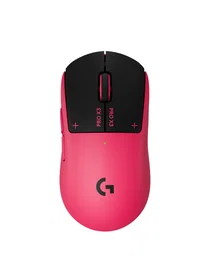

Pros
Top-tier 48,000 DPI sensor
Fast 930 IPS and 90 G tracking
Ultra-lightweight 59 g body
High 8,000Hz polling rate
Cons
No Unifying receiver compatibility
Lacks Bluetooth connectivity
Compare specifications
| Type | Gaming | Ergonomic, Office | Gaming, Ergonomic | Gaming, Ergonomic | Gaming |
|---|---|---|---|---|---|
| Number of buttons | 5 | 8 | 6 | 5 | 5 |
| Operating resolution | 44000 dpi | 8000 dpi | 45000 dpi | 32000 dpi | 48000 dpi |
| Connection | Wireless | Wireless | Wireless | Wireless | Wireless |
| Features | — | Ergonomic design, Free scroll/Hyperscroll, Side scroll, Programmable Buttons | Ergonomic design, Programmable Buttons | Ergonomic design, Compact design/travel version | Suitable for gaming, Programmable Buttons |
| Wireless connection | Radio (RF) | Radio (RF), Bluetooth | Radio (RF) | Radio (RF) | Radio (RF) |

How we create the list
The ranking is updated monthly and is based on data we collect from our own platform. Products that rank highly are popular among our users while also maintaining high quality according to editorial expert assessments. Specifically, we weigh how many users follow the product via price alerts or lists, how it is rated by experts and users, as well as how much traffic it generates to stores and how well it is represented in retail. The texts on this page are AI-generated and created to give you a quick and clear overview. No products are paid placements – the ranking is driven solely by data.