Best Monitors October 2026
Compare the top-rated computer monitors to find the right display for your setup, gaming needs, or daily work. This independent ranking highlights key specifications, strengths, and trade-offs across leading OLED and high-refresh-rate models.
Last updated: 1 October 2026
Philips Evnia 8000 32M2N8900 31.5" 4K OLED dropped 1 position
AOC Agon Pro AG276UZD 27" Gaming 4K UHD QD-OLED 240Hz climbed 1 position

Monitors: Top 5
1
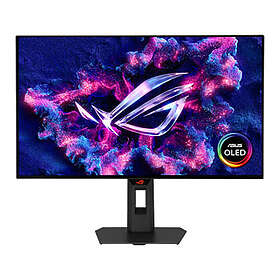
Asus ROG Strix XG27AQWMG 27" WOLED 280Hz
from £428.993 stores
from £428.99
3 stores
2
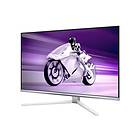
Philips Evnia 8000 32M2N8900 31.5" 4K OLED
from £727.435 stores
1
from £727.43
5 stores
3

AOC Agon Gaming Q27G4ZDR 27" QHD QD-OLED 240Hz
from £390.004 stores
from £390.00
4 stores
4
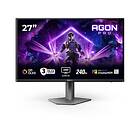
AOC Agon Pro AG276UZD 27" Gaming 4K UHD QD-OLED 240Hz
from £569.0010 stores
1
from £569.00
10 stores
5

Asus ROG Swift PG27AQWP-W 27" OLED QHD 540/720 Hz Dual Mode
from £948.983 stores
from £948.98
3 stores
The Asus ROG Strix XG27AQWMG is a 27-inch 1440p gaming monitor featuring a glossy WOLED panel. It delivers fluid motion with its 280 Hz refresh rate and deep contrast for gaming and multimedia.



Pros
Fast 280 Hz refresh rate
High 1,500 cd/m² peak brightness
Supports USB-C Power Delivery
HDMI 2.1 and DisplayPort 1.4 connectivity
Cons
No built-in speakers
Text fringing can reduce text clarity
The Philips Evnia 8000 32M2N8900 combines a 31.5-inch 4K QD-OLED screen with a 240 Hz refresh rate. Built-in stereo speakers, USB-C docking, and a KVM switch make it a versatile choice for both gaming and multi-device productivity.

Pros
Crisp 4K Ultra HD resolution
Spacious 31.5-inch QD-OLED panel
Integrated KVM switch
65 W USB-C Power Delivery
Cons
Stand lacks pivot rotation
Higher power consumption (130.9 W operational)
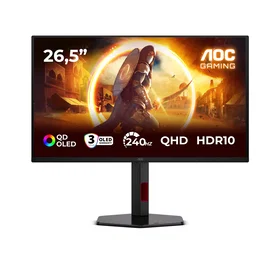
The AOC Agon Gaming Q27G4ZDR provides 2560x1440 resolution on a 26.5-inch QD-OLED panel with a 240 Hz refresh rate. Its matte anti-glare coating and fully adjustable stand deliver strong gaming ergonomics.



Pros
Smooth 240 Hz QD-OLED display
Ultra-fast 0.03 ms response time
Low power consumption for OLED (21 kWh HDR)
Matte screen finish reduces glare
Cons
No USB-C Power Delivery
No built-in speakers
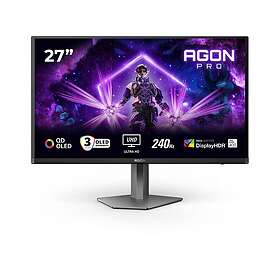
The AOC Agon Pro AG276UZD packs a 4K UHD QD-OLED panel into a 27-inch form factor with a 240 Hz refresh rate. Modern connectivity like DisplayPort 2.1 and a KVM switch make it ideal for high-end setups requiring sharp visuals.
Pros
High pixel density 4K QD-OLED panel
DisplayPort 2.1 connectivity
Built-in KVM switch and 65 W USB-C
Full ergonomic stand with pivot
Cons
Energy class G in SDR and HDR
Noticeable power draw at 94 W
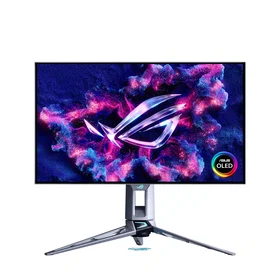
The Asus ROG Swift OLED PG27AQWP-W is an esports-oriented 26.5-inch 1440p monitor offering a native 540 Hz refresh rate and up to 720 Hz in dual mode. Its tandem OLED panel reaches 1,500 cd/m² peak brightness for standout HDR highlights.

Pros
Extreme refresh rates up to 720 Hz
Near-instant 0.02 ms response time
DisplayPort 2.1 and HDMI 2.1 inputs
DisplayHDR 500 True Black certification
Cons
No USB-C Power Delivery
Glossy surface can reflect direct light
Compare specifications
| Screen size | 27 inches | 32 inches | 26.5 inches | 27 inches | 26.5 inches |
|---|---|---|---|---|---|
| Maximum resolution | 2560x1440 (WQHD) | 3840x2160 (4K Ultra HD) | 2560x1440 (WQHD) | — | 2560x1440 (WQHD) |
| Refresh rate | 280 Hz | 240 Hz | 240 Hz | 240 Hz | 540 Hz |
| Display technology | OLED | OLED | OLED | OLED | OLED |

How we create the list
The ranking is updated monthly and is based on data we collect from our own platform. Products that rank highly are popular among our users while also maintaining high quality according to editorial expert assessments. Specifically, we weigh how many users follow the product via price alerts or lists, how it is rated by experts and users, as well as how much traffic it generates to stores and how well it is represented in retail. The texts on this page are AI-generated and created to give you a quick and clear overview. No products are paid placements – the ranking is driven solely by data.